Pokémon card stock management with an Excel spreadsheet
Managing Pokémon card stock in a spreadsheet: columns to create, useful formulas, limits and when to move to software. No file to download, just the method.
By Paul Hilmarcher, founder of Echo TCG, working hand in hand with card shops.
Many card shops start with a spreadsheet, and that is reasonable: it costs nothing, adapts quickly and forces you to describe what you own. The trap is not the tool, it is the structure. A badly designed spreadsheet gives a stock you can neither find, nor value, nor take elsewhere. This article describes the columns to create for a Pokémon card stock, the useful formulas, the limits of a spreadsheet and when to move on. No file is offered for download: you build it yourself in a few minutes.
One row, one copy or one uniform lot
The basic rule: each row must designate without ambiguity what you can show a customer. Two options. One row per copy for valuable cards, which are told apart by condition and purchase price. One row per uniform lot for common cards: same card, same condition, same purchase price, with a quantity. Do not mix in one row two cards bought at different prices: the average purchase price hides the real margin, and margin VAT is in principle calculated case by case (the global method is a framed option).
The columns to create
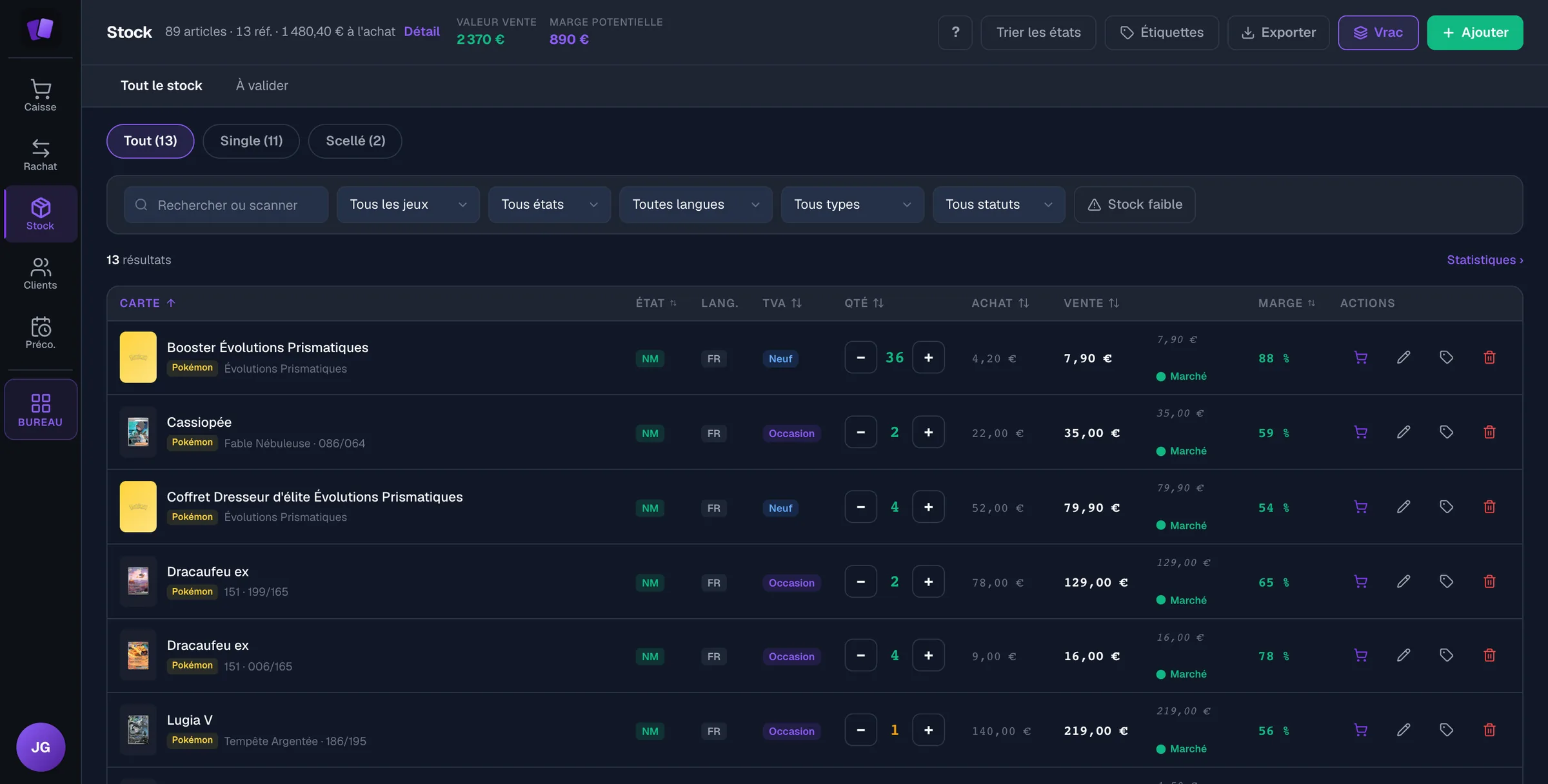
Here is a base that is enough to start. The first nine match the columns a file should carry to be brought into software easily:
- description: the card's name, as printed;
- game: Pokémon, Magic, etc.;
- set: the name of the set the card comes from;
- number: the number printed on the card, for example 125/094;
- language: French, English, Japanese;
- condition: the scale you use, always applied the same way;
- quantity: the number of copies on the row;
- purchase price: the price actually paid for one copy;
- selling price: the price displayed in the shop.
Then add as needed: the entry date, the origin (buy-back from an individual, purchase from a distributor), the location in the shop, the finish (normal, holographic, alternate), a barcode if you print them and the date of the last sale. The origin matters for tax: a card bought back from an individual falls under margin VAT, a new product bought from a distributor under VAT at the standard rate, as the article on margin VAT explains.
The formulas that really help
Three formulas cover the essentials. They use Excel's French function names; adapt the column letters to yours. Assuming quantity in column G, purchase price in H and selling price in I:
- Stock value at purchase price: =SOMMEPROD(G2:G1000;H2:H1000). It is the figure to compare with your tied-up cash.
- Gross margin of a row: =I2-H2. For a rate, divide by the purchase price or by the selling price, but choose one convention and note it at the top of the sheet.
- Out-of-stock alert: =SI(G2<=0;"À racheter";""). Put it on rows you always want to have one copy of.
To spot dormant stock, add a “last sale” column and sort by date: what has not moved for a long time ties up cash. The guide on card selling prices explains how to review these prices, and the one on the opening stock how to choose what to keep.
Habits that avoid mistakes
- One person enters data, or each person has their own tab: two simultaneous entries in the same file create conflicts you only see at stocktake.
- Drop-down lists for condition, language and origin: a typo creates a value the filters no longer find.
- A dated backup every week, kept off the shop's computer.
- A regular physical stocktake, shelf by shelf, compared with the spreadsheet: the gap is corrected while it is small.
- Conditional formatting on quantities at zero and on selling prices lower than the purchase price.
What a spreadsheet does not do
A spreadsheet does not know what sold at the till unless you re-enter every sale. It does not keep the police register, a register kept day by day that must identify each item bought back and its seller (article 321-7 of the French Penal Code): a file editable at will proves poorly that nothing was changed afterwards. It does not calculate margin VAT line by line without formulas you must write, check and maintain. And it does not protect against accidental deletion. The guide on the police register details what the register must contain.
When to move to software
The signs are concrete: you re-enter in the spreadsheet what the till sold, you search for a card for more than a minute, two people overwrite each other's entries, or the month-end closing takes you an evening. Software links stock, till, buy-back and police register: a sale decrements stock, a buy-back feeds it and fills the register. The guide on shop management software for TCG presents this step.
Bringing your spreadsheet into Echo TCG
Echo TCG takes in an Excel or CSV file exported from any software or built by hand (Pro plan). The import screen recognises the columns one by one (description, selling price, purchase price, quantity, game, set, number, condition, language), updates duplicates rather than duplicating them and offers default values. It also offers a preparation workbook to put a file in shape before importing it. The cleaner your spreadsheet, the faster the migration: that is the reason for the structure described above. If you would rather not do it yourself, Echo offers a one-off option, bringing over your stock: €250 excluding tax, one time only, on any plan. We prepare the import workbook, you confirm the lines that need a decision, then we import it with you. Plans, prices and the detail of each module are on the features and pricing pages.
This article is informational and does not replace your accountant's advice.
Frequently asked questions
- Is an Excel template offered for download?
- No. This article describes the columns to create and the formulas to use, with no file to download. You build the spreadsheet to your own measure in ten minutes.
- Which columns are essential for a card stock?
- The description, game, set, printed number, language, condition, quantity, purchase price and selling price. Without the printed number and the set, two cards with the same name get mixed up.
- Can you keep the police register in the same spreadsheet?
- The police register is kept day by day and identifies the item and the seller. An ordinary spreadsheet makes it hard to prove it was not edited afterwards: a dedicated register is better, either a numbered and initialled paper book or software that follows the texts.
- When does a spreadsheet stop being enough?
- When several people enter data at the same time, when sales go through a till the spreadsheet cannot see, or when the margin VAT calculation becomes manual and error-prone.
- Can you bring a spreadsheet into Echo TCG?
- Yes, through Excel or CSV file import (Pro plan): columns are recognised, duplicates updated rather than duplicated. The import screen shows the expected columns before anything is imported.
Echo TCG: the POS and management software for card shops.
From €49 a month, with no commission on your sales. See pricing